Everything between the quote and the bank
Zuvo is quoting, invoicing and getting-paid software for South African small businesses, with an AI assistant behind it. Here is what it does, what it does not do yet, and how it compares with full accounting packages.
Try Zuvo free for 7 days See pricing
7-day free trial, no credit card. Keep a free plan afterwards. Billed in Rand.
Quotes in two minutes, in your prices
Describe the job the way you would to a client. Zuvo drafts the quote, you check it, and it goes out looking professional.
- Plain English in, quote out. Type it or say it. Zuvo fills in the client, line items, VAT and due date. You review and correct everything before it is saved.
- Your own prices. Save your call-out fee and hourly rate once. When a quote mentions them, Zuvo uses your numbers, and a price you state always wins.
- Clients in one place. See what each client owes and start a quote or invoice for them in a click.
- Looks like you. Three PDF layouts with your logo and banking details. Email it or share a link on WhatsApp.
- Accepted online. Clients accept with their name, no app or login, and you are told straight away.
- Deposits and balances. Bill a deposit up front, then a final invoice for the rest with the deposit taken off, so nothing is billed twice.
- Recurring invoices. For monthly clients, Zuvo makes the invoice on the day. It waits as a draft for you to check, or goes straight to the client if you choose.
A page your clients can actually pay from
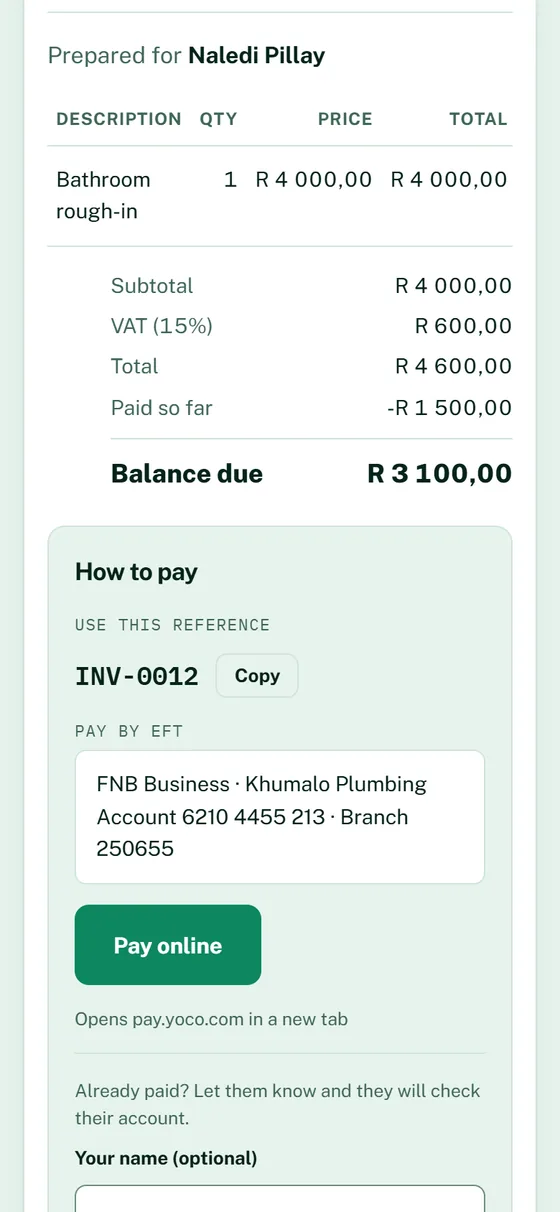
Every invoice has a private link. It tells your client exactly how to pay you and lets them say when they have.
- How to pay, spelled out. A payment reference to use, your EFT details, and a Pay online button if you add your own payment page (Yoco, PayFast, Paystack, SnapScan or similar).
- "I have paid". One tap emails you. You check your bank, then mark it paid. Zuvo never holds your money.
- See when they look. Each invoice shows when your client first opened it and how many times.
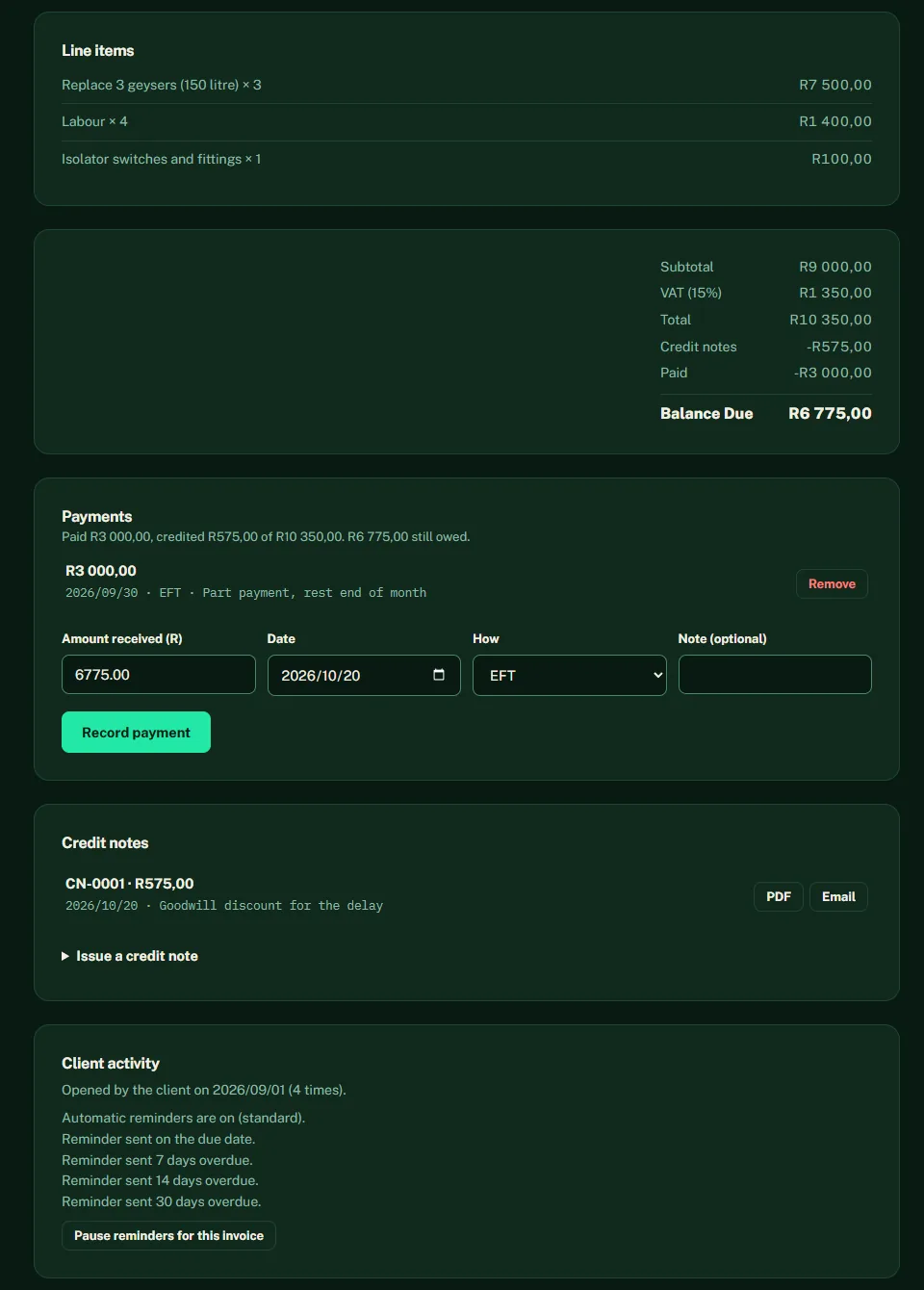
- Part-payments. Record what has come in, in full or in part. The balance is right on the invoice, the client page, your lists and your reports.
- Credit notes. Correct an invoice or give a discount with a numbered credit note you can download or email. VAT follows the invoice.
- Statements. Send a client a statement showing everything outstanding and how overdue it is.
Polite reminders that stop at "paid"
Late payment is the most common cash-flow problem for small businesses, and chasing feels awkward. Let Zuvo do the first nudges, in your name.
- You choose the style. Gentle (on the due date, then 7 and 14 days overdue) or standard (3 days before, on the due date, then 7, 14 and 30 days overdue). Off by default.
- Sensible by design. Sent 08:00 to 17:00 on weekdays, once per step, with a link to see how to pay. Replies come straight to you.
- Knows when to stop. Nothing goes out for a paid invoice, a draft, a record you imported, or an invoice where the client has said they have paid. You can pause reminders on any invoice.
- Reminders for you too. Tell Zuvo "remind me tomorrow at 10 to call Thabo" and it emails you. A "worth chasing" list shows overdue invoices and quotes with no answer.
VAT: charged, paid and payable
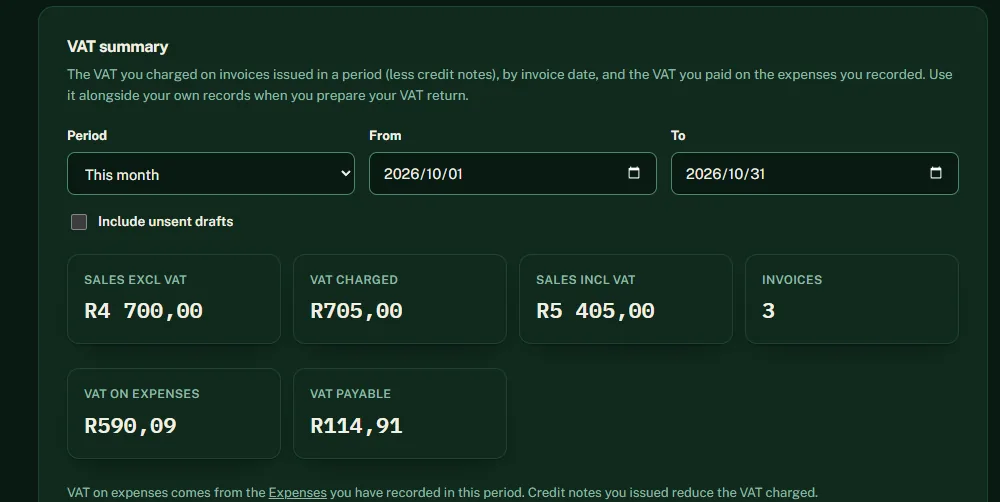
If you are VAT-registered, Zuvo adds 15% to your quotes and invoices, and gives you the summary you need at the end of the period.
- Any period. Pick a month, a quarter, your tax year from 1 March, or your own dates. Invoices count on their issue date, in South African days.
- Credit notes taken off. Credit notes reduce the VAT charged in the month they are issued.
- Input VAT from your expenses. The VAT you paid on recorded expenses is subtracted, so you see what is left to pay (or get back).
- Honest about drafts. Unsent drafts are reported, not silently counted or hidden, so you can decide.
- Not a VAT return. Zuvo does not file your VAT201 with SARS and is not tax advice. Use it alongside your records and your accountant.
Receipts in a snap
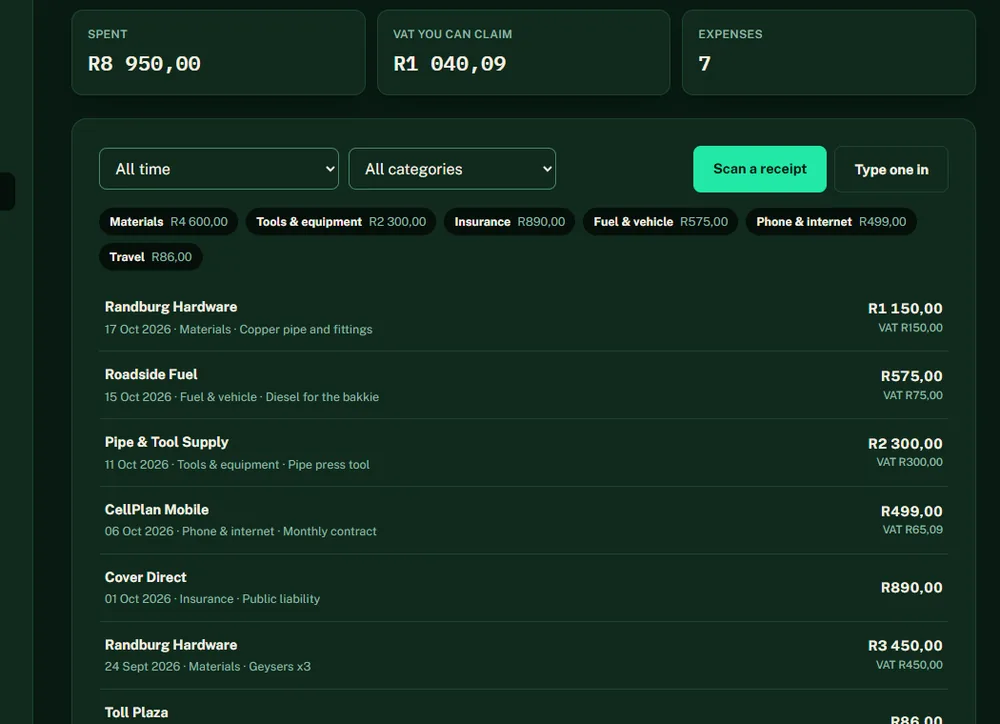
Photograph a receipt and Zuvo reads it. You check it, save it, and the VAT on it counts toward your summary.
- Photo in, fields out. Supplier, date, total, VAT and a suggested category, filled in for you to check. It can make mistakes, so nothing is saved until you confirm.
- Flags what to double-check. A smudged total, an unreadable date, or a slip that is not a tax invoice (you need a valid tax invoice to claim VAT).
- Kept for your records. A compressed copy of the receipt stays with the expense.
- Totals by category. See what you spent on materials, fuel, tools and more, by month, quarter or tax year.
- No scanning? No problem. Type an expense in by hand. Every plan has a monthly scan allowance.
Who owes you, and for how long
Everything is worked out from your own quotes, invoices and payments, so the numbers agree wherever you look.
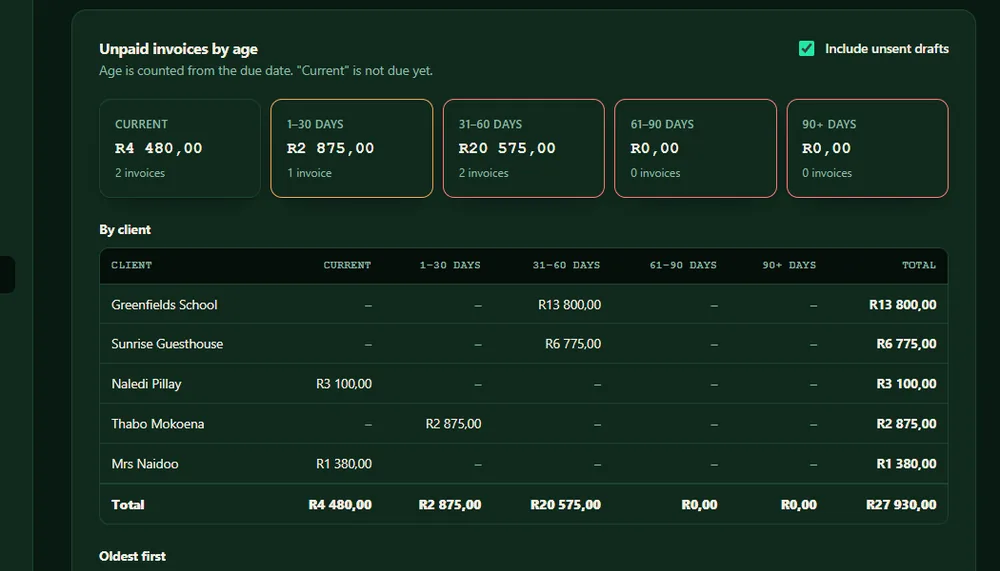
- Unpaid by age. Current, 1 to 30, 31 to 60, 61 to 90 and over 90 days, by client and by invoice, oldest first.
- Sales by month. What you invoiced and how much of it has been paid.
- Clients. A client list with what each has been invoiced, what is outstanding and what is overdue.
Switch in an afternoon, leave any time
Bring your records in, and take them out whenever you need to.
- Import from a spreadsheet. Your clients and past invoices from a CSV file, with a preview and clear messages before anything is saved. It understands South African dates and numbers.
- Old records stay quiet. Imported invoices do not use up your monthly allowance and never trigger reminders to your clients.
- Export for your accountant. Invoices, quotes, the VAT report, expenses and clients as a CSV that opens correctly in Excel on a South African computer.
An assistant that writes the awkward bits
Zuvo is built on Claude. It drafts, summarises and explains, and you stay in charge of everything that goes out.
- Follow-ups and replies. Quotes that go quiet, late payers, price questions. Drafted in your tone for email or WhatsApp, ready to send.
- Plain-English summaries. Paste a contract, statement or long report and get what matters and what needs action.
- Growth Diagnostic. A scored check-up of your business with three priority actions, included in your 7-day trial and on every paid plan.
- Speaks the country. English, Afrikaans, isiZulu, isiXhosa, Sesotho and more, billed once in Rand.
Zuvo and full accounting software
Zuvo covers the admin that earns you money. Full accounting packages cover the whole ledger. Here is an honest side by side.
| What you need | Zuvo | Full accounting packages |
|---|---|---|
| Quote or invoice written from one plain sentence | Yes | Not a headline feature |
| Billed in Rand, no forex fee | Yes, from R149 a month | Varies. Sage lists its Start plan from about R240 a month on its South African site. |
| Automatic payment reminders to clients | Yes | Yes |
| Pay-online button on the invoice | Your own payment link, plus EFT details | Yes, built-in gateways |
| Part-payments and credit notes | Yes | Yes |
| Recurring invoices | Yes | Yes |
| VAT summary including VAT on expenses | Yes (not a VAT201 filing) | Yes, and some submit to SARS |
| Receipt scanning | Yes, you check it | Yes, varies by product |
| Bank feeds and reconciliation | Not yet | Yes |
| Payroll, inventory, multiple users, native apps | Not yet | Yes, varies by product |
Zuvo suits you if
- You quote and invoice yourself and want to get paid faster
- You run a trade, a service business or a small shop
- You want VAT and expenses under control without learning bookkeeping
- You would like to pay in Rand and not a dollar subscription
Keep full accounting software if
- You need bank reconciliation or payroll
- Several people need their own logins
- Your accountant requires their package
Many businesses use Zuvo to quote, invoice and chase, and send the export to their accountant.
What Zuvo does not do yet
So there are no surprises: bank feeds, payroll, inventory, multiple users with separate logins, a native mobile app (Zuvo works in your phone's browser), taking card payments inside Zuvo, and filing your VAT return with SARS. Quotes, invoices, getting paid, expenses and the VAT summary are the focus.
See your first quote, invoice and reminder in minutes
Try Zuvo free for 7 days with no credit card. Pick a plan later, or keep the free plan. Plans start at R149 a month, billed in Rand.
Try Zuvo free for 7 days Compare plansGeneral information, not tax or legal advice. Zuvo's AI can make mistakes, so you review every quote, message and receipt before it is used.