Security quotes in 2 minutes. Just describe the system.
CCTV, alarms, electric fencing and gate motors. Type the job and your prices the way you would say them, and Zuvo turns it into a clean quotation in Rand. Then ask for a deposit on larger systems, invoice on completion, and let Zuvo remind the clients who forget.
or try it first on your own job, no signup
- No credit card
- Free plan after the trial
- Priced in Rand
| Item | Qty | Price | Total |
|---|---|---|---|
| CCTV recorder | 1 | R2,800.00 | R2,800.00 |
| Camera | 4 | R900.00 | R3,600.00 |
| 1 TB hard drive | 1 | R950.00 | R950.00 |
| Cabling and connectors | 1 | R1,200.00 | R1,200.00 |
| Installation labour (hours) | 8 | R350.00 | R2,800.00 |
Accept online The client taps accept and you are told. No app, no login.
Try it: describe a security job, get a quote
Type the job and your prices the way you would say them. Zuvo turns it into a clean quote in seconds.
| Item | Qty | Price | Total |
|---|
Items marked "confirm price" had no price in your description. Add them in your account.
Takes 20 seconds. No credit card. 7-day trial, then a limited free plan.
Sound familiar?
- Writing a long equipment list by hand for every site visit
- Clients comparing a lower price that quietly leaves out cabling or the hard drive
- Buying equipment before the client has paid
- Maintenance clients who need the same invoice every month or quarter
- Chasing the final payment after the system is working
Zuvo drafts the quotation from your plain-English description, lets you review and correct it, then sends a branded PDF to your client, shows them how to pay and keeps track of what is outstanding and who has paid. Want to see the structure first? Use the free quote generator.
The examples above use made-up prices. Always check the registration, certificate and licensing rules for your trade.
From quote to paid, built for security installers
The job is not done when the quote is accepted. Zuvo helps with the part that follows: the deposit, the invoice and the late payer.
- A deposit for the equipment. Ask for a percentage when the client accepts. The final invoice bills the whole job and takes the deposit off, so nothing is billed twice.
- A complete equipment list. List the recorder, each camera, the drive, cabling and labour on separate lines, so a client can see exactly what a lower quote has left out.
- Maintenance contracts on repeat. For monitoring, servicing or a maintenance contract, set up a recurring invoice. Zuvo makes it on the day and leaves it as a draft for you to check, unless you tell it to send.
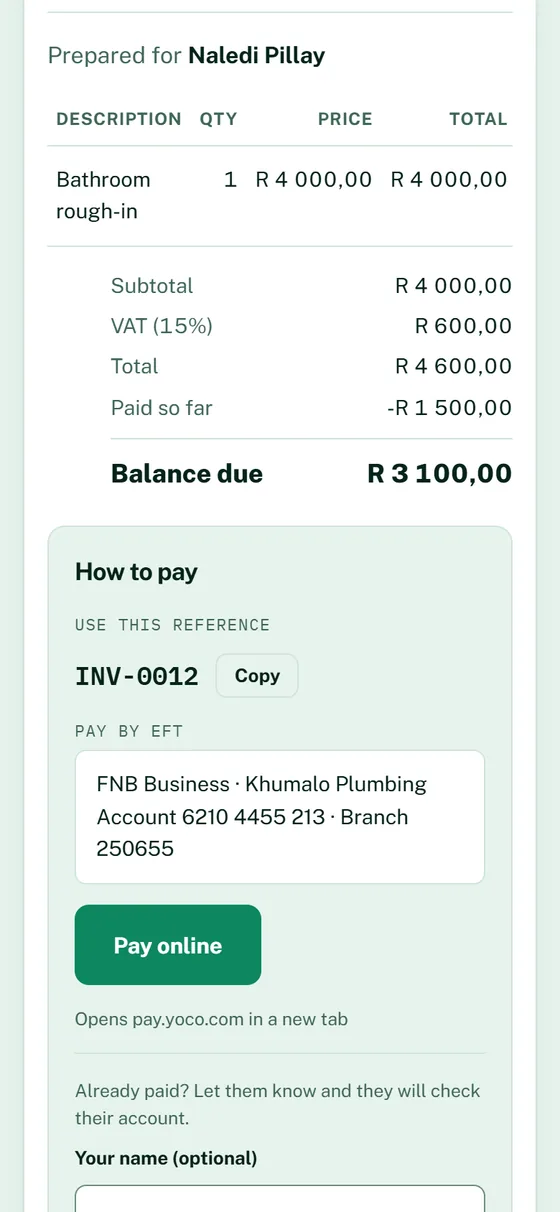
- Clients see exactly how to pay. Every invoice has a private page that shows your EFT details, the reference to use and your own card link if you have one. The client taps "I have paid" and you check your bank. Zuvo never holds your money.
- Reminders that stop at "paid". Switch on reminders and Zuvo politely emails clients who run late, in office hours, until the invoice is paid. It stays off until you turn it on.
See every feature or pricing in Rand. There is a free plan, and the 7-day trial needs no card.
What a good security quotation includes
A quote that is easy to read gets accepted faster. These are the things South African clients most often ask about, so put them on the page before they have to ask:
- The number and type of cameras, sensors or motors, with the brand or model
- The recorder or control panel, storage and any power supply
- Cabling, connectors and mounting, shown separately
- Setup, programming and training for the client
- Whether remote viewing or monitoring is included, and any monthly cost
- Warranty on equipment and on your installation
- A valid-until date and the payment terms, including the deposit
Example: 4 camera CCTV system
Made-up prices, for illustration only. Your own prices go in.
| Item | Qty | Price | Total |
|---|---|---|---|
| CCTV recorder | 1 | R2,800.00 | R2,800.00 |
| Camera | 4 | R900.00 | R3,600.00 |
| 1 TB hard drive | 1 | R950.00 | R950.00 |
| Cabling and connectors | 1 | R1,200.00 | R1,200.00 |
| Installation labour (hours) | 8 | R350.00 | R2,800.00 |
| Subtotal | R11,350.00 | ||
| VAT (15%, if you are VAT-registered) | R1,702.50 | ||
| Total | R13,052.50 | ||
Zuvo builds this layout from your description, so you only check the prices and send. Prefer to start from a blank page? Use the free quote generator, work out your markup with the markup and margin calculator, and use the VAT calculator if you are unsure how to add VAT.
How Zuvo works for security installers
- Describe the job. Type it, or say it into your phone, the way you would explain it to a colleague. Include your prices.
- Review the quote. Zuvo drafts the line items, adds your business details and VAT status, and you correct anything before it goes out.
- Send it your way. Email the PDF, or share a link on WhatsApp. The client reads the quote and accepts it online by typing their name, with no app or login.
- Get paid. Ask for a deposit, turn the accepted quote into an invoice and give the client a page that shows exactly how to pay. Record part-payments as they come in, and let Zuvo remind the clients who run late.
There is a free plan, so you can start without paying. See every feature. See pricing in Rand, or read how to write a quote that gets accepted and how to follow up on a late invoice.
Quoting and getting-paid questions from South African security installers
What should a security installation quote include?
List each piece of equipment with brand or model, show cabling and mounting separately, include setup and training, say whether monitoring or remote viewing is part of the price, give warranty terms and add a valid-until date.
How do I stop a cheaper quote winning on price alone?
Make your equipment list complete and itemised, so the client can see what a lower quote has left out, such as the hard drive, cabling or programming. A clear quotation is often more persuasive than a lower number.
Should a security quote include VAT?
Only if you are VAT-registered. If you are, the total you quote the customer should include 15% VAT, and showing the VAT amount on its own line keeps it clear. If you are not registered, leave VAT off. Registration is compulsory once taxable turnover passes R2.3 million in a 12-month period, and voluntary from R120,000.
Can I ask for a deposit on an installation?
Yes. Once the client accepts a quote, Zuvo can raise a deposit invoice for the percentage you choose. When the job is done, the final invoice bills the whole quote and takes the deposit off, so nothing is billed twice. Whether to ask, and how much, is your call; on larger systems a deposit that covers the equipment is common, because you are ordering it for one client.
How do I invoice a maintenance contract?
Set up a recurring invoice with your monthly or quarterly price. Zuvo makes it on the day and leaves it as a draft for you to check, unless you tell it to send. Recurring invoices are on Starter, Growth and Business, and in the trial.
Will Zuvo chase a client who has not paid?
If you switch it on, yes. Zuvo emails the client a polite reminder on weekdays in office hours: gentle reminders start on the due date, standard ones start three days before it and continue until 30 days overdue. They stop when you mark the invoice paid, and replies come to you. It is off until you turn it on. Zuvo does not hold or collect your money: the client pays you directly by EFT or your own card link.
General guidance, not legal or tax advice. Check the registration, certificate, licensing and VAT rules that apply to your trade and your business.
More than quotes
The same assistant writes the follow-ups that win the work and the reminders that get you paid. Ask it to chase a quiet quote, ask a client politely for an overdue payment, answer a price question on WhatsApp, or summarise a supplier contract. It can also run a scored Growth Diagnostic of your business. See everything Zuvo does.
Send your next security quote in 2 minutes.
Get paid without the chasing.
Free plan, no credit card. Try it on a real job today.